Amazon Repricer That Wins the Buy Box
Without Losing Margin
React in seconds, price from your true landed cost, and see exactly why every pricing decision was made.
Trusted by Amazon sellers doing $10K–$500K+/mo
Works with your AI agent


Win the Buy Box without pricing below cost
See landed cost, a profit floor and Next actions in about 75 seconds. Pick a chapter to start at that step.

Set a profit floor and let the repricer win the Buy Box for you.
How the Amazon Repricer Works
Three steps from setup to live repricing. Start with built-in strategies or create your own, then apply them to one ASIN or your entire catalog


Speed without sacrificing control
Most Amazon repricers react. Seller Assistant reacts in seconds, prices from your real landed cost, and explains every pricing decision.
React in seconds, not on the next pricing cycle
As soon as Amazon reports a pricing change, Repricer recalculates your strategy and submits a new price within seconds, keeping your offers in the race without manual intervention.


See every decision. Catch every exception
Review every repricing decision with its matched rule, market snapshot, and outcome. See what needs attention, with a clear next step for each item.
Protect profit with real landed costs
Price floors follow the real cost of each FBA and FBM listing, and they update when those costs change.


Respond automatically to market changes
React differently when Amazon joins the listing, competitors disappear, stock runs low, or the time of day changes. One strategy handles every situation through prioritized conditional rules instead of separate repricing profiles.
Everything behind every price change
The controls, safeguards, and pricing logic working on every repricing cycle
Real-cost recalculation
Price floors update as supplier costs, POs, prep fees, or shipping change
Strategy templates
Start from Smart FBA, Protect Profit, or Target 25% ROI, then customize or build your own
Conditional rules
React to Buy Box ownership, competitor counts, stock levels, time, and profitability
Safety limits
Set minimums, maximums, and limits on how much a cycle can change the price
Dynamic price floors
Calculate minimums from break-even, markup, target ROI, or target margin
Next actions
See what needs attention, with a clear next step for each item.
Decision history
Review every decision, matched rule, market snapshot, and outcome
Bulk actions
Enroll products, assign strategies, and switch modes across your catalog in bulk
Better pricing starts with better cost data
Unlike standalone Amazon repricers, Seller Assistant already knows what every unit actually cost because it shares the same sourcing workflow
Price floors follow the costs already stored on each SKU.
Edit a supplier cost once and every linked product recalculates its pricing floors automatically.
Finalize inbound costs and every affected landed cost updates automatically.
List products from purchase orders, then enroll them for repricing without rebuilding your catalog.
Pricing starts with sourcing
The numbers your repricer protects start long before repricing, with sourcing, supplier costs, and profitability
Turn supplier price lists into supplier offers that feed every purchasing decision.
AnalyzeResearch margins, Buy Box competition, and product risks on Amazon.
DiscoverUnderstand who you're competing with and how their catalogs evolve.
DiscoverSupplier offers and landed costs stay connected to every repriced product.
SourceCompare Amazon Repricers
See how Seller Assistant Repricer compares with other Amazon repricing software
Speed, profit tools, pricing, and best fit for the top Amazon repricing software, side by side.
Compare repricing speed, cost-based price floors, and plan limits.
Compare strategies, Buy Box rules, and what each plan includes.
Compare AI repricing claims, controls, and cost data.
More comparisons: Informed, Repricer.com, SmartRepricer, ChannelMax, StreetPricer, FlashPricer, Profit Protector Pro
How-tos and guides
How to Use Seller Assistant Repricer
How to use Seller Assistant Repricer: set pricing strategies, rules, price limits, and landed costs to automate Amazon repricing and protect profits.
Seller Assistant Repricer: Full Guide
Seller Assistant Repricer automates Amazon pricing with fast repricing, Buy Box strategies, profit safeguards, landed costs, and flexible pricing rules.
How to Assign Costs for Repricers with AI
Assign Amazon Repricer costs with AI. Find SKUs with missing costs, update cost data through Seller Assistant MCP, and improve profit protection.
Amazon Repricing Strategies: Which One Fits You?
Amazon repricing strategy: compare common approaches, choose the right strategy for each SKU, protect profit, and compete for the Buy Box automatically.
Best Amazon Repricers in 2026: Which One Is Right for You?
Best Amazon repricer 2026: Compare Aura, Seller Snap, BQool, Repricer.com, and Seller Assistant Repricer to find the right fit for your business.
How to Set a Profitable Amazon Repricing Floor
Amazon repricing floor: learn how to set profitable minimum prices using landed cost, ROI, margin, and profit targets while staying Buy Box competitive.
Rules, one ASIN at a time, and every price change explained
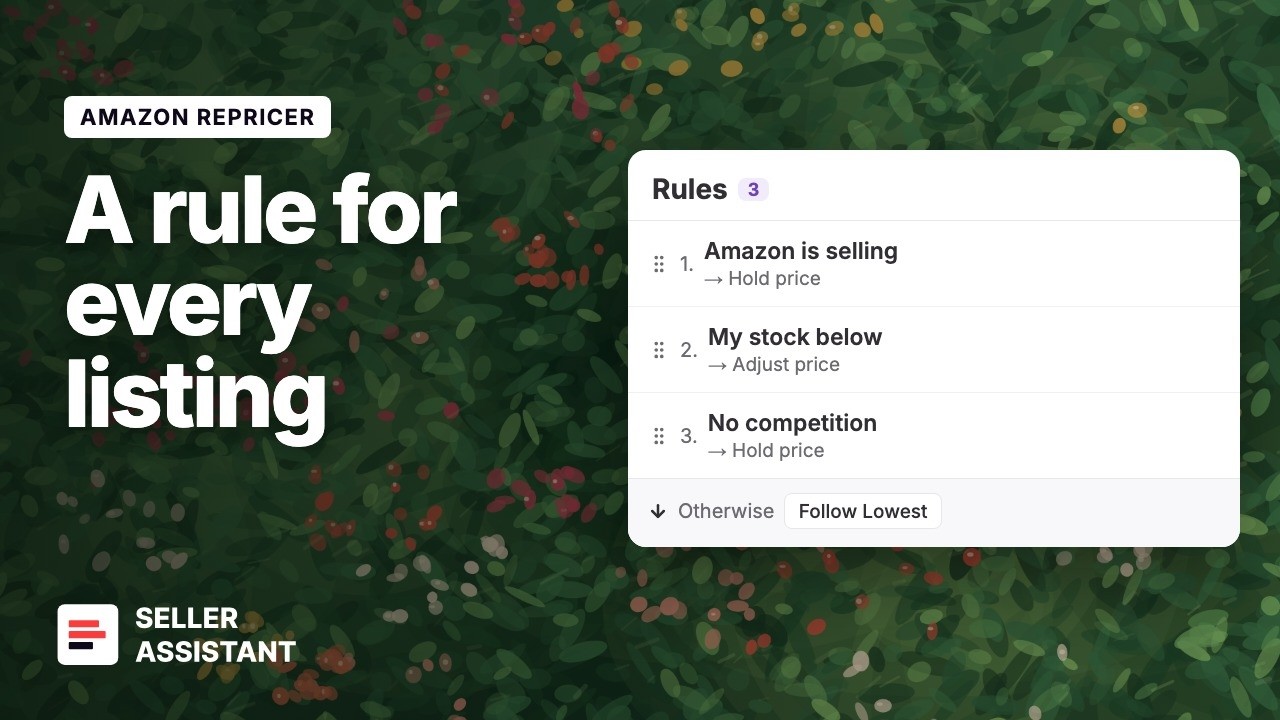
Set your repricer rules and let them run.
How to Set Repricer Rules for Amazon and Low Stock
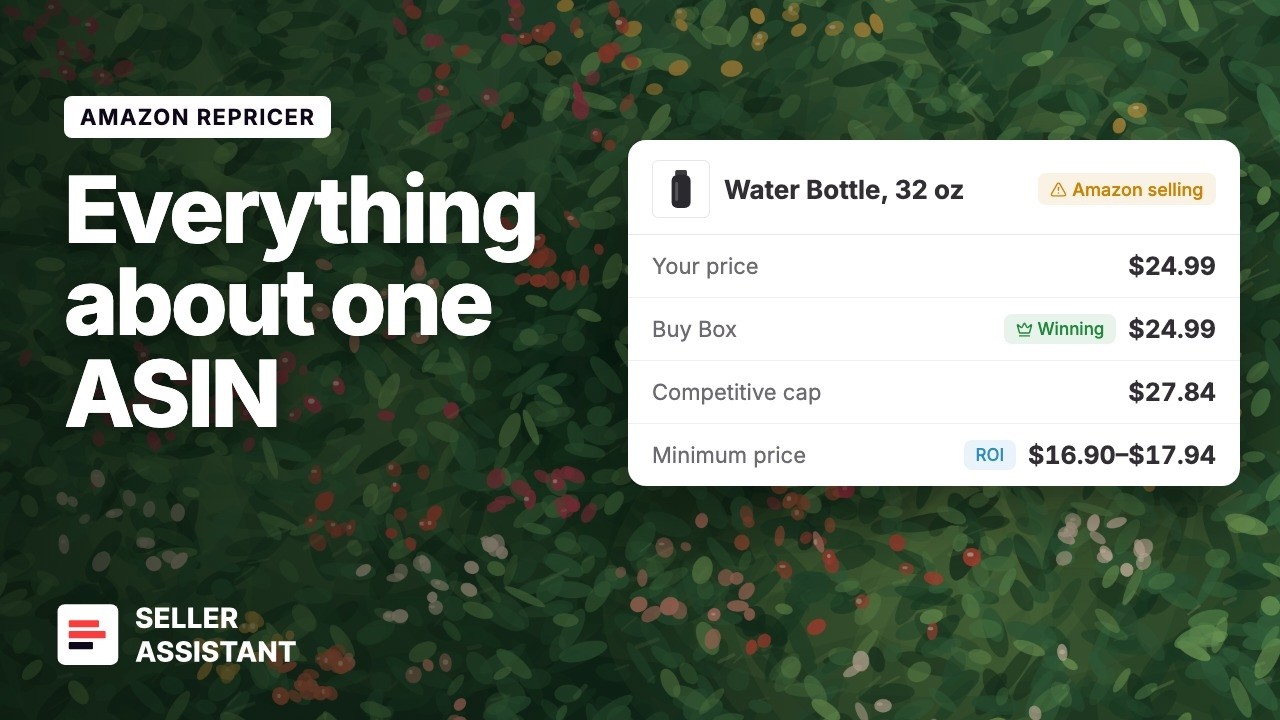
Set your repricer rules and let them run.
How to See the Market, Price History and Limits for One ASIN

Set your repricer rules and let them run.
How to See Why Your Amazon Repricer Changed a Price
Frequently Asked Questions
Visit Help CenterHow does an Amazon repricer work?
How quickly does the Amazon Repricer respond to price changes?
How do Next actions help me manage my catalog?
Will the Repricer ever price below my minimum price?
Can the Repricer use my actual product costs?
How do I set prices and costs for many SKUs at once?
Can I create different Amazon repricing strategies for different products?
What does Follow Buy Box do when I already hold the Buy Box?
Which Amazon marketplaces does the Repricer support?
The Buy Box moves fast. Your pricing should too
React to market changes in seconds, protect every margin with real costs, and understand every decision the repricer makes
Get StartedNot sure which plan fits your sourcing workflow? Chat with our team — we're happy to help.