Track what competitors sell. Find what you're missing
Track competitor catalogs daily, see what they're adding, and discover brands gaining traction across your niche.
Get Started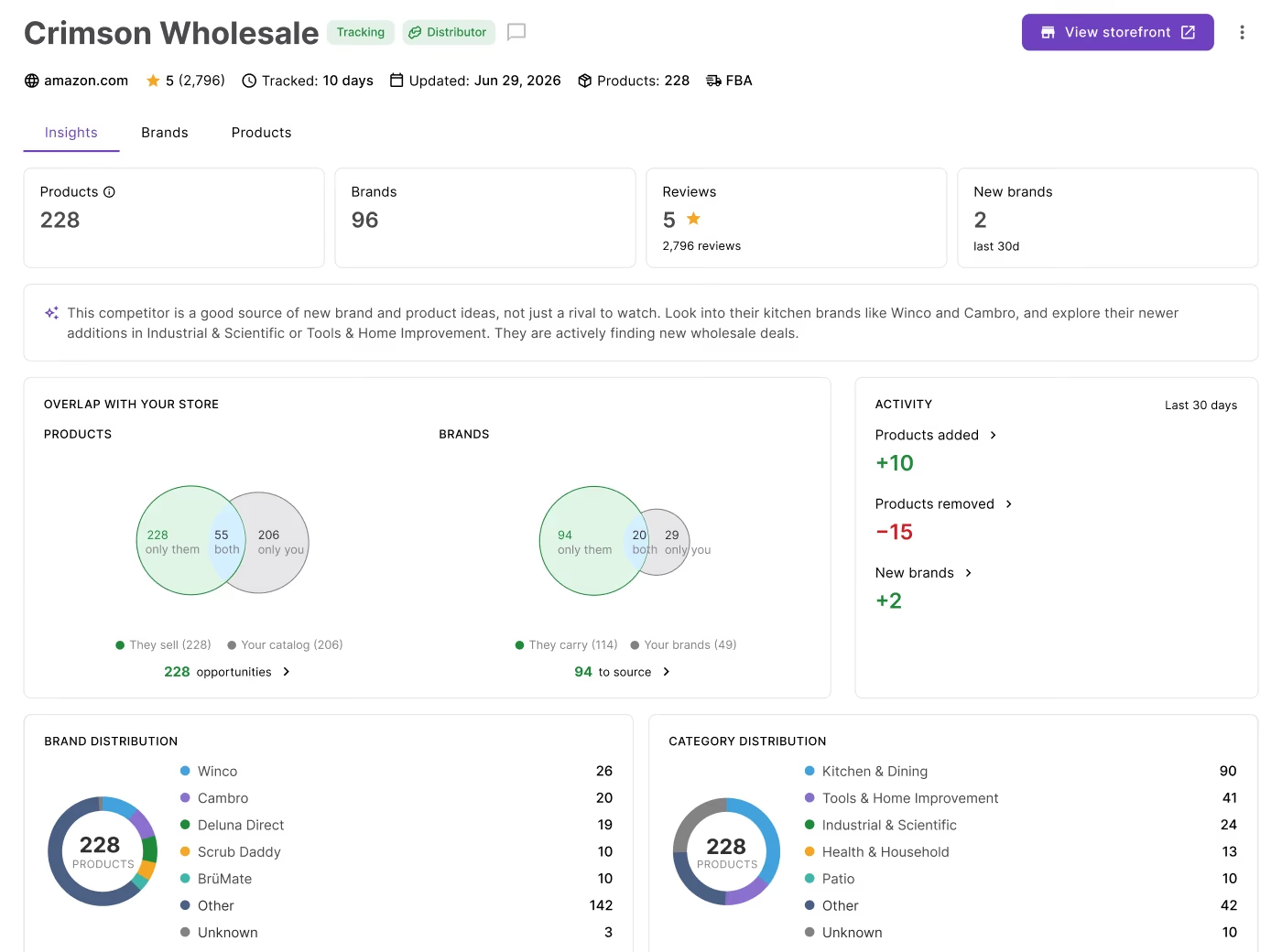
From competitor analysis to sourcing opportunities
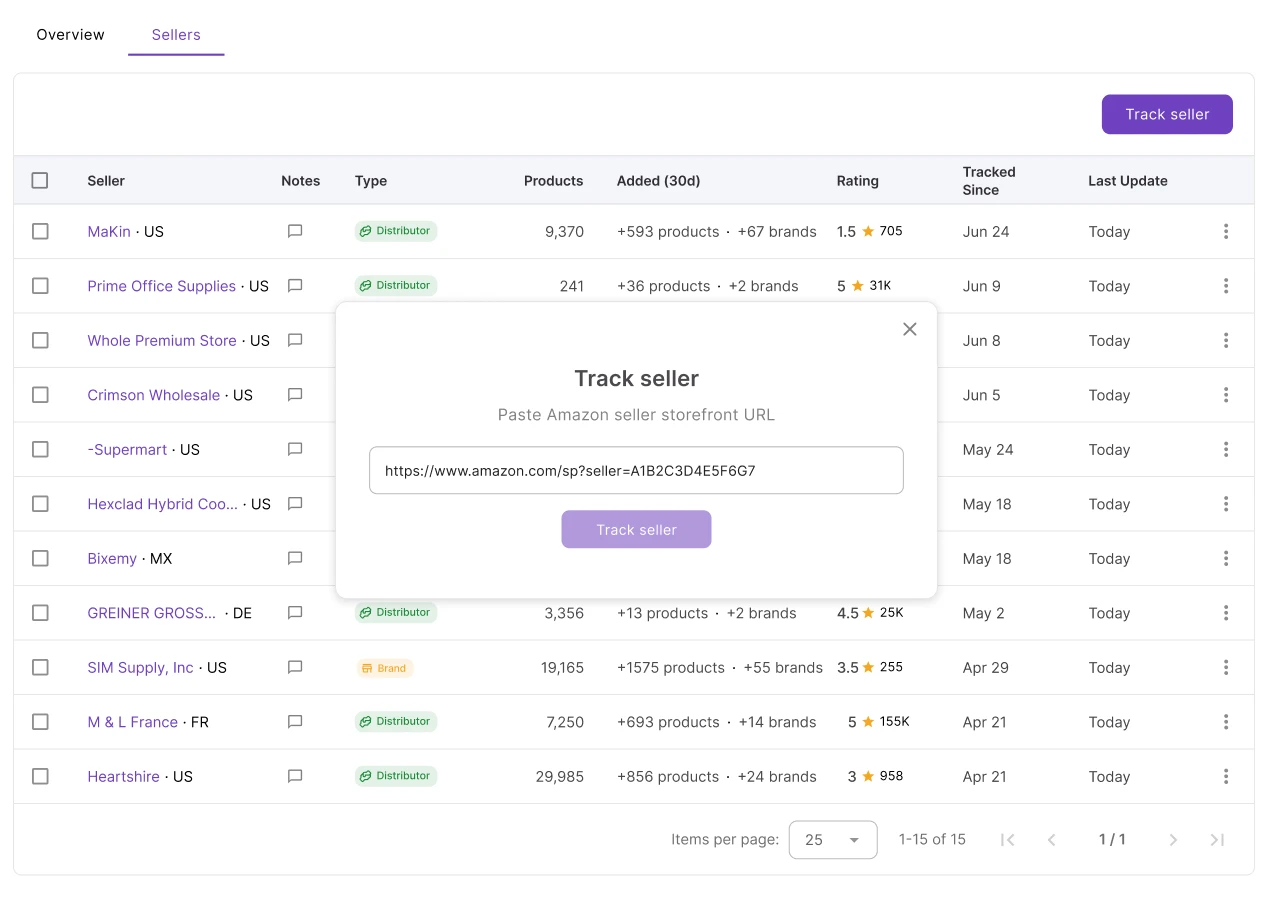
Add a seller once. Seller Spy watches their catalog every day so you don't have to.
Your competitors already know what to source next
No visibility into what they're adding, which brands are gaining traction, or how your catalog compares. Seller Spy removes all three.
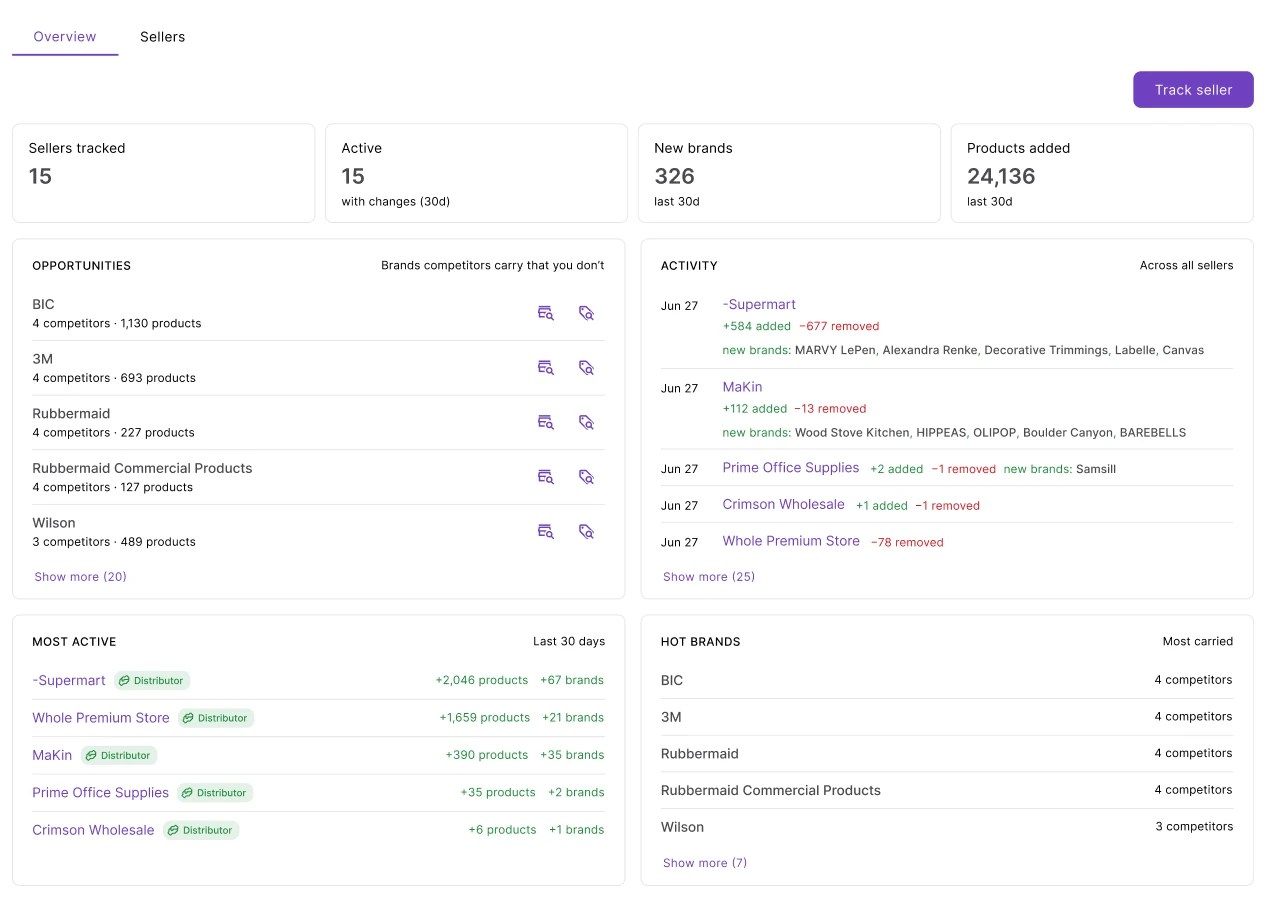
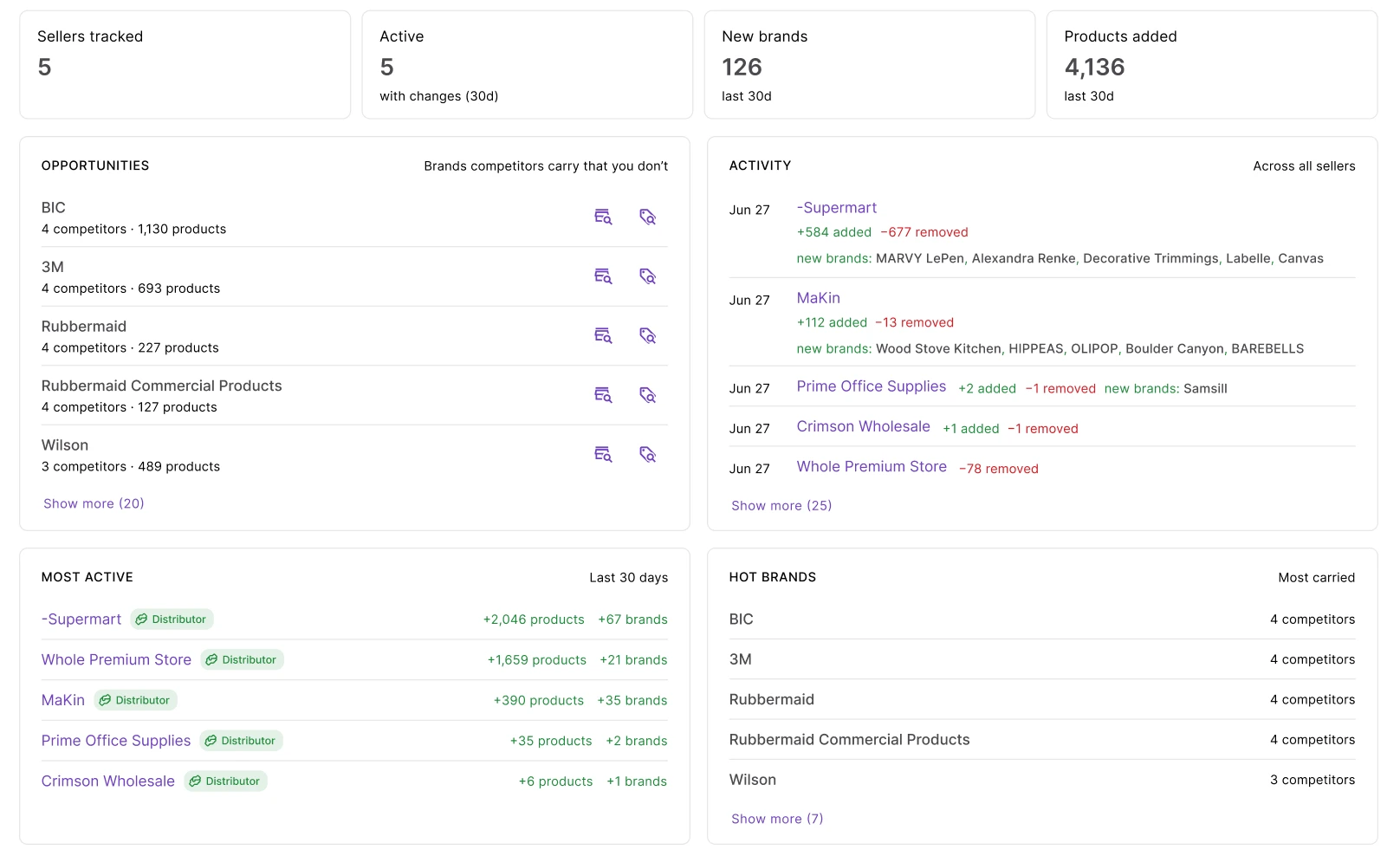
Brands competitors carry that you aren't stocking
See brands your competitors carry that you don't. Brands are ranked by how many tracked sellers stock them, helping you spot the strongest opportunities first.
Focus on the competitors that matter
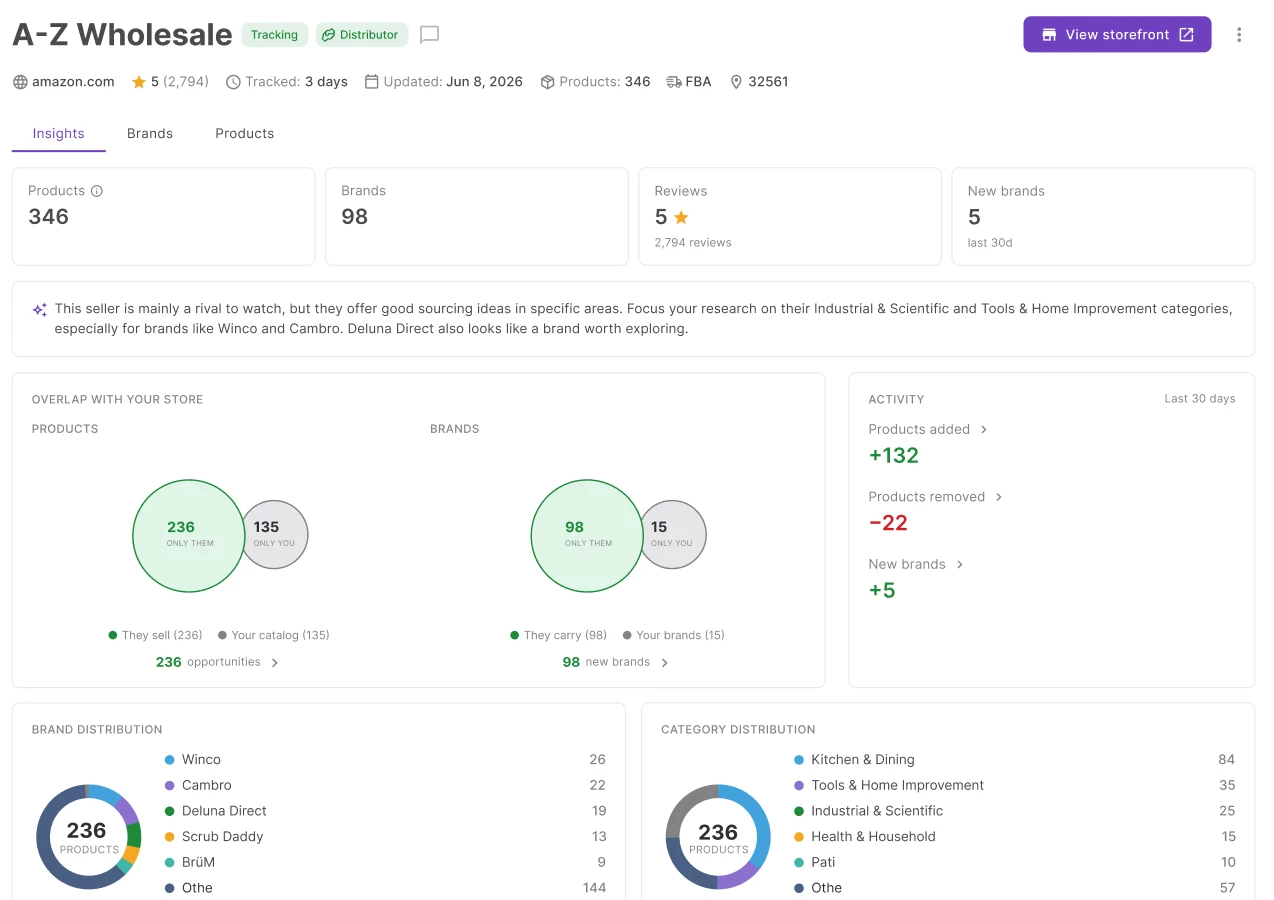
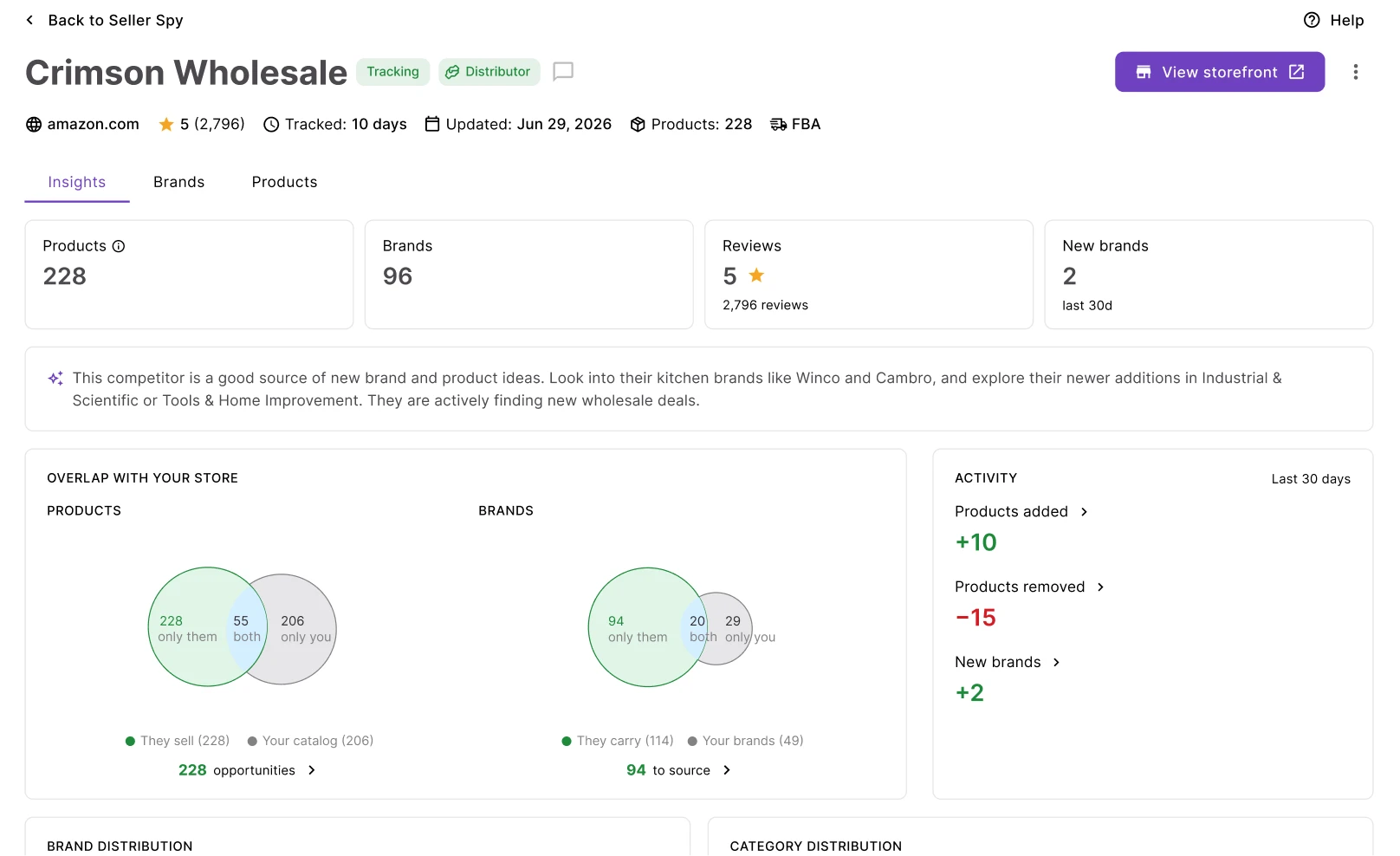
See how closely a seller overlaps with your catalog before spending time reviewing their products. Analyze their brands, categories, and recent additions in one view.
Every product your competitors added
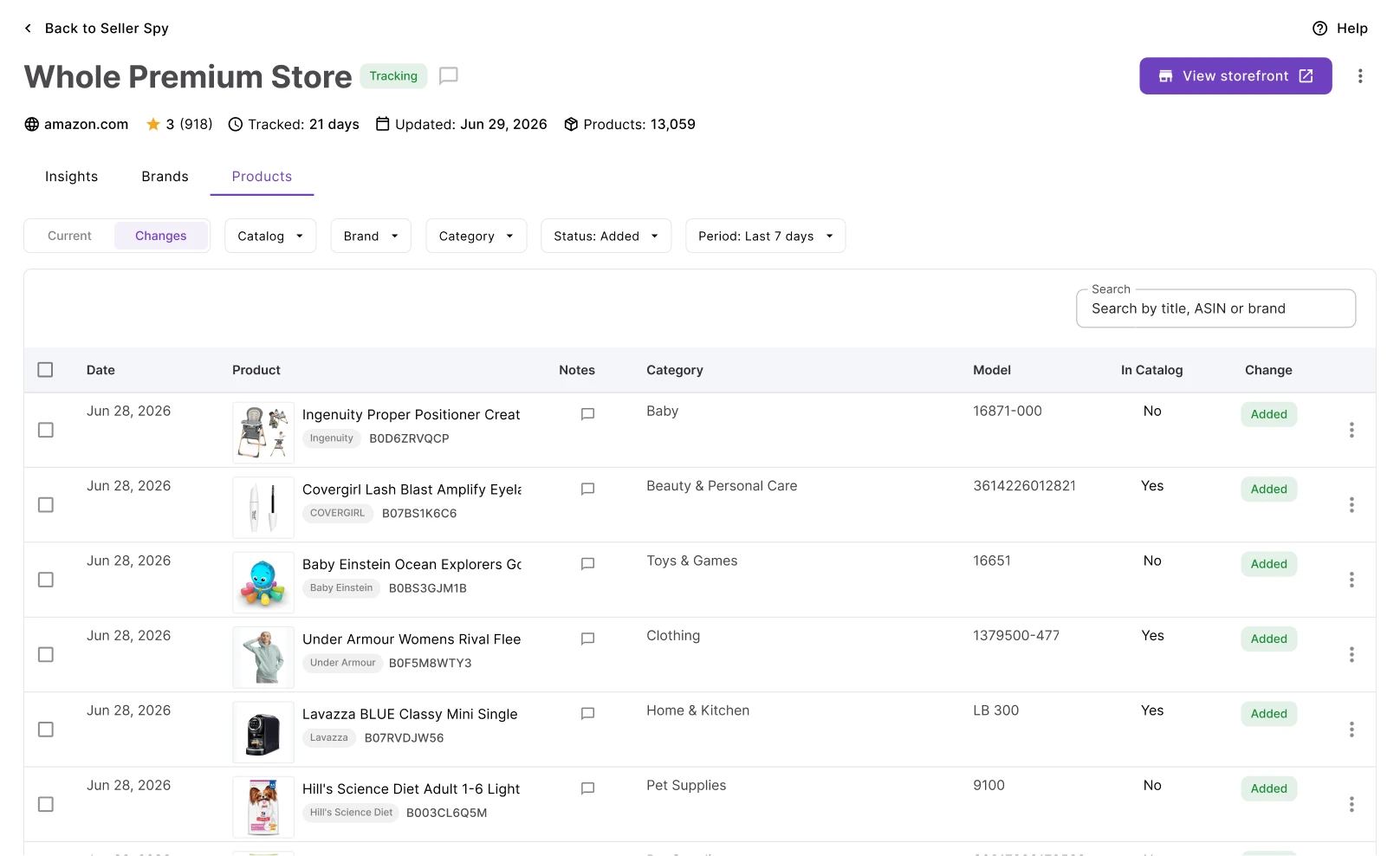
Competitors who sell well in your niche have already validated what works. Every product a tracked seller adds comes back with brand, category, model, and whether you already carry it.
Everything needed to track competitors and uncover sourcing opportunities
Competitor tracking, catalog monitoring, and brand opportunity discovery.
Daily storefront tracking
Full catalog pulled every day, enriched with title, brand, category, and model
Sellers overview
New brands, products, opportunities, and activity across every seller in one view
Opportunities feed
Brands multiple competitors carry that aren't in your catalog, ranked by competitor count
Catalog overlap
Venn diagram of products only they carry, only you carry, and what you share
Seller classification
Brand owner, distributor, 3rd-party, or Amazon — shown on every seller profile
Brands tab
Every brand a seller carries with product count, first seen date, and in-catalog flag
Changes view
Products added and removed with brand, category, and overlap status
Export
Download the full product list per seller as XLSX with brand and model data
Seller Spy surfaces the opportunities. These tools let you act on them.
From competitor catalog to sourcing — every step happens inside Seller Assistant.
Send any brand from the Brands tab directly to Brand Analyzer. The brand name pre-fills.
Find a supplier for any brand you identify through competitor tracking — launch directly from Seller Spy.
Add competitor products to your sourcing pipeline in bulk directly from the Products tab.
Top sellers in a price list analysis can be added to Seller Spy tracking directly.
From first spot to placed order
Spot sellers worth tracking, validate what you find, and move identified products toward an order.

Check selling eligibility on products you find competitors carrying.
Analyze
Add any seller to tracking directly from their Amazon product page or storefront.
Discover
Source identified brands through your existing supplier relationships.
Source
Place orders for identified products you've decided to source.
SourceFrequently Asked Questions
Visit Help Center
How does Seller Spy track competitor storefronts?
What is the Opportunities feed?
What does the catalog overlap show?
How often is tracking updated?
Can I add competitor products directly to my sourcing pipeline?
Can my team track sellers too?
Ready to find brands you're missing?
Track competitor storefronts, find the brands gaining traction across your niche, and add promising products to your pipeline.
Get StartedNot sure which plan fits your sourcing workflow? Chat with our team — we're happy to help.